
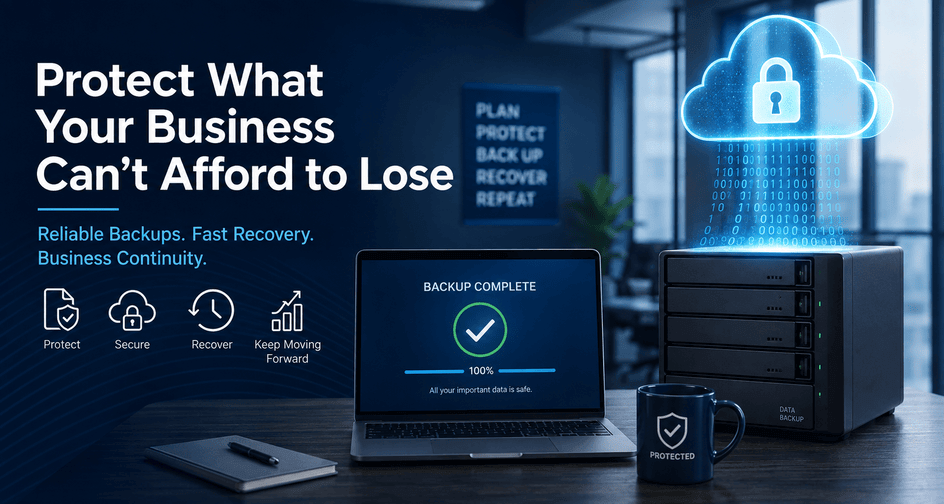
Data is one of your company’s most valuable assets. Customer records, financial documents, emails, employee files, project data, databases, and application settings are essential to your daily operations.
Unfortunately, that information can disappear faster than many business owners realize.
A failed hard drive, ransomware attack, accidental deletion, software problem, natural disaster, or stolen computer can leave a company without access to critical information. Without a reliable backup, recovering that data may be expensive, time-consuming, or even impossible.
A well designed business data backup solution provides more than an extra copy of your files. It gives your organization a practical way to recover from an unexpected disruption and resume operations as quickly as possible.
What Is Data Backup?
A data backup is a separate copy of files, applications, configurations, or complete computer systems that can be used for recovery after the original data is damaged, deleted, encrypted, or otherwise unavailable.
The National Institute of Standards and Technology defines a backup as a copy of files and programs created to facilitate recovery when necessary.
Depending on the backup system, a business may be able to restore:
- An individual file or folder
- A previous version of a document
- An employee’s entire computer
- A physical or virtual server
- A business application or database
- Microsoft 365 email, SharePoint, or other cloud-based information
- A complete network environment after a disaster
The goal is not simply to save copies. The goal is to restore the right information within an acceptable amount of time.
Why Businesses Need Reliable Data Backups
Hardware Eventually Fails
Computers, servers, storage drives, and other devices do not last forever. A drive can fail suddenly even when the equipment appeared to be operating normally the previous day.
Replacing the damaged hardware may be relatively straightforward. Replacing years of accounting records, customer documents, or project files may not be.
Employees Make Mistakes
Accidental deletion remains one of the most common reasons a business needs to restore data. An employee may overwrite a document, delete the wrong folder, change a shared spreadsheet, or remove information without realizing that others still need it.
A backup system with file versioning allows the business to retrieve an earlier version rather than attempting to recreate the information manually.
Ransomware Can Target Backups
Ransomware may encrypt business data and attempt to locate any backups that are still accessible from the compromised network. If the only backup is an external drive or shared folder that remains continuously connected, it may be encrypted along with the original data.
The Cybersecurity and Infrastructure Security Agency recommends maintaining offline, encrypted backups and regularly testing both the availability and integrity of those backups.
This is why businesses need backup protection that is isolated from ordinary user accounts and network access.
Fire, Theft, and Severe Weather Can Affect an Entire Location
An onsite backup may help when one computer fails, but it may not protect the business if the entire building is affected by fire, flooding, theft, electrical damage, or severe weather.
Keeping at least one backup copy in a separate geographic location can protect the company from a site-wide disaster.
Downtime Can Be More Expensive Than the Lost Equipment
The greatest cost of data loss is often not the price of replacing a computer or server. It is the operational disruption that follows.
Employees may be unable to work. Orders may be delayed. Customer service can suffer. Billing may stop. Important records may need to be reconstructed manually.
A good backup strategy reduces the amount of data that is lost and the time required to resume business operations.
Having a Backup Is Not the Same as Having a Recovery Plan
Many businesses assume that their information is protected because backup software is installed or because someone occasionally copies files to an external drive.
However, a backup is only useful when it can be successfully restored.
Backups can fail for many reasons:
- The data backup software stopped running.
- Storage space became full.
- Login credentials expired.
- A required folder was never included.
- The backup contains corrupted data.
- Encryption keys or recovery passwords are unavailable.
- The backup completed but cannot rebuild the full system.
- Notifications were ignored or sent to an unused email address.
- The backup retained fewer historical versions than expected.
A green check mark in a backup dashboard does not always prove that the business can recover.
Why Backup Testing Is So Important
Backup testing verifies that protected data is complete, accessible, and usable.
CISA recommends testing backup procedures regularly so organizations can confirm that data can be restored during a disaster recovery event. NIST likewise emphasizes that backups should be conducted, maintained, and tested—not merely created.
Testing may include several different procedures.
File-Level Restore Testing
A technician selects files from different dates and restores them to a safe test location. The restored files are then opened to confirm that they are intact.
This verifies that individual documents can be recovered after accidental deletion or unwanted changes.
Application and Database Testing
Some business systems require more than a basic file copy. Accounting programs, databases, line-of-business applications, and email systems may need application-aware backup processes to ensure that the information is captured consistently.
A test should confirm that the application can open and properly use the restored data.
Full-System Recovery Testing
A full-system test verifies whether an entire workstation or server can be recovered after hardware failure, ransomware, or another major incident.
This may involve restoring the system to replacement hardware or starting a protected server as a virtual machine in an isolated environment.
Disaster Recovery Testing
Disaster recovery testing examines more than the backup itself. It evaluates whether the company knows:
- Which systems must be restored first
- Who is responsible for initiating recovery
- Where passwords and recovery instructions are stored
- How employees will communicate during an outage
- How long the restoration is expected to take
- Which vendors or IT providers must be contacted
Testing helps uncover problems before the business is dealing with a real emergency.
Common Business Backup Methods
No single backup method is ideal for every organization. Businesses often use a combination of onsite and offsite protection.
External Hard Drive Backups
External drives are inexpensive and can provide quick access to local backup data. They may be appropriate for limited situations or as one component of a broader backup plan.
However, a drive that remains connected can be damaged, stolen, accidentally erased, or encrypted by ransomware. Manual drive rotation also depends on someone consistently completing the process.
External drives should not be the only backup protecting important business data.
Network-Attached Storage
Network-attached storage, commonly called a NAS, allows multiple computers or servers to save backups to a central device.
A NAS can provide fast local recovery and substantial storage capacity. However, because it is connected to the network, it must be carefully secured. It should also be supplemented with an offsite or isolated backup.
Cloud Backup
Cloud backup automatically sends encrypted backup data to an offsite data center. It protects the business if equipment at the primary location is stolen or destroyed.
Business-grade cloud backup commonly includes automated scheduling, historical versions, monitoring, encryption, and centralized management.
Cloud backup should not be confused with basic cloud file synchronization.
Image-Based Backup
A file backup protects selected folders and documents. An image-based backup protects the broader system, including the operating system, installed applications, configurations, and data.
Image-based backups are particularly valuable for servers and critical workstations because they may allow the entire machine to be recovered without rebuilding everything manually.
Hybrid Backup
A hybrid backup uses both local and cloud storage.
The local copy can provide faster recovery for common problems, while the cloud copy protects against building-level disasters and attacks that compromise onsite equipment.
For many businesses, this combination provides an effective balance of recovery speed and disaster protection.
Software-as-a-Service Backup
Businesses increasingly store data in services such as Microsoft 365, Google Workspace, customer relationship management platforms, and other cloud applications.
Cloud providers generally maintain reliable infrastructure, but businesses can still experience accidental deletion, unwanted changes, compromised accounts, retention limitations, or malicious activity.
A dedicated Software-as-a-Service backup can provide independent retention and recovery for email, cloud storage, calendars, contacts, and collaboration data.
The 3-2-1 Backup Strategy
A widely used starting point is the 3-2-1 backup strategy:
- Maintain three copies of important data.
- Store the copies on at least two different types of media or systems.
- Keep at least one copy offsite.
CISA recommends the 3-2-1 approach as a practical method for reducing the risk that a single failure will eliminate every copy of critical information.
Modern businesses may strengthen this model by adding an offline or immutable copy that cannot be easily changed or deleted.
The exact design should reflect the company’s size, applications, regulatory responsibilities, recovery needs, and tolerance for downtime.
Important Features in a Business Backup Solution
When comparing backup products or services, business owners should look beyond storage capacity and monthly price.
Automated Backups
Data Backups should run automatically on a defined schedule. A system that depends entirely on an employee remembering to connect a drive or copy a folder will eventually be missed.
Centralized Monitoring
Someone should actively review backup results.
Centralized monitoring allows an internal IT team or managed service provider to detect failed jobs, offline devices, storage problems, and unusual activity before recovery is needed.
Failure Notifications
The system should generate clear alerts when a backup fails, completes with warnings, or stops reporting.
Those alerts must go to someone responsible for investigating them.
Encryption
Backup data should be encrypted while it is being transferred and while it is stored.
Encryption helps protect sensitive business and customer information if backup media, credentials, or storage systems are compromised.
Multi-factor Authentication
Administrative access to the backup platform should be protected by multi-factor authentication.
An attacker who steals a password should not be able to sign in and delete the company’s recovery data.
Immutable or Isolated Storage
Immutable storage prevents backup data from being changed or deleted during a defined retention period.
Isolation and immutability can significantly improve protection against ransomware attackers who attempt to destroy backups before encrypting production systems.
Historical Versioning
A strong backup system retains multiple restore points, often going back years.
This is important because a damaged, encrypted, or incorrectly modified file may not be discovered immediately. If only the most recent copy is retained, the backup may contain the same problem as the production system.
Flexible Retention Policies
Different information may need to be retained for different lengths of time.
A business might require frequent recent backups for operational recovery while also retaining monthly or yearly archives for legal, financial, or compliance purposes.
File-Level and Full-System Recovery
The solution should support both everyday recovery and major disaster recovery.
Restoring one deleted spreadsheet should not require rebuilding an entire server. At the same time, the company should have a practical method for recovering a complete machine after a serious failure.
Bare-Metal Recovery
Bare-metal recovery allows a complete system to be restored to replacement hardware without first manually reinstalling the operating system and every application.
This can substantially reduce recovery time after server or workstation failure.
Virtual Recovery
Some data backup platforms can temporarily start a failed server as a virtual machine.
This may allow employees to regain access to critical applications while permanent hardware is repaired or replaced.
Application-Aware Backups
Servers running databases or specialized applications may require application-aware processing. This helps ensure that open files and active databases are captured in a consistent state.
Documented Recovery Procedures
The business should have written recovery procedures that identify critical systems, restoration priorities, credentials, contacts, and responsibilities.
Backup technology is only one part of business continuity. Employees and IT providers must also know how the technology will be used during an emergency.
How Often Should a Business Back Up Its Data?
The right frequency depends on how much information the business can afford to lose.
A company that backs up once every night could lose nearly a full day of work if a failure occurs late in the afternoon. For some businesses, that may be acceptable. For others, losing even an hour of transactions could cause a serious problem.
Two important measurements can help guide the decision.
Recovery Point Objective
The recovery point objective, or RPO, describes the maximum amount of recent data the business can tolerate losing.
For example, an RPO of four hours means backups must occur frequently enough that no more than approximately four hours of information would be lost.
Recovery Time Objective
The recovery time objective, or RTO, describes how quickly a system should be operational again.
A file server may need to be restored within several hours, while a less critical archive could remain unavailable for a day or longer.
Business owners should define both objectives rather than simply asking whether data backups are occurring.
Which Business Data Should Be Backed Up?
A complete backup assessment should consider more than documents stored on a shared drive.
Important data may include:
- Accounting and payroll information
- Customer and vendor records
- Contracts and legal documents
- Email, calendars, and contacts
- Employee files
- Databases
- Phone or VoIP records
- Shared folders
- Desktop and laptop data
- Server operating systems and configurations
- Virtual machines
- Cloud storage
- Website files and databases
- Business application settings
- Security system configurations
- Network device configurations
- Encryption keys and recovery documentation
It is also important to identify where employees actually save their work. A backup may protect a server while overlooking files stored only on an employee’s desktop.
Questions to Ask About Your Current Backup System
Business owners do not need to manage every technical detail, but they should be able to obtain clear answers to several questions:
- What systems and information are currently backed up?
- How frequently do data backups run?
- Where are the backups stored?
- Is at least one copy offsite or isolated?
- Are backups protected with encryption and multi-factor authentication?
- How long are previous versions retained?
- Who monitors failed backups?
- When was the last successful test restoration?
- How long would it take to recover the main server?
- Are Microsoft 365 or other cloud applications independently backed up?
- Can the backup administrator delete every recovery copy from one account?
- Is there a written disaster recovery procedure?
Unclear answers may indicate that the organization has backup software but does not yet have a dependable recovery strategy.
Data Backup Is Business Protection
Data backup should not be treated as a one-time software installation. It is an ongoing business continuity process that includes planning, automation, monitoring, security, documentation, and regular recovery testing.
A reliable strategy should protect against everyday accidents as well as major incidents such as hardware failure, ransomware, theft, and natural disasters.
Most importantly, businesses should not wait for an emergency to learn whether their backups work.
By combining onsite and offsite protection, using secure and isolated storage, retaining multiple versions, and regularly testing actual restorations, a company can dramatically improve its ability to recover from data loss and keep serving its customers.
Is Your Business Backup Ready for a Real Emergency?
If you are unsure what information is currently protected, when your backups were last tested, or how long a complete recovery would take, now is the time to review your backup strategy.
A professional backup assessment can identify unprotected systems, outdated processes, security weaknesses, and recovery limitations before they result in expensive downtime.
Do not settle for simply having a backup. Make sure your business has a backup that is monitored, secured, tested, and ready to restore when it matters most. Contact Pennyrile Technologies today for a free consult on your data backup strategy!