
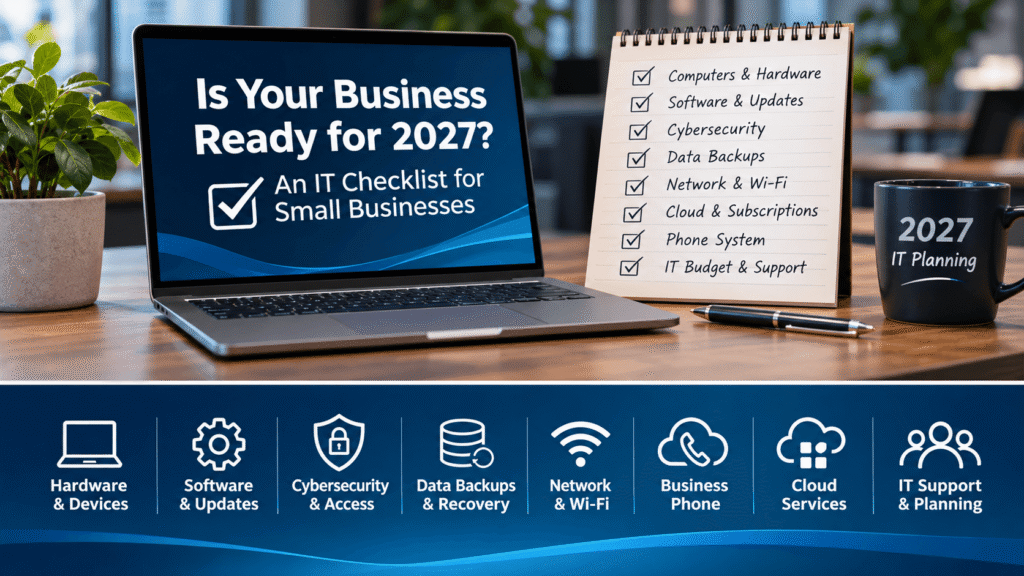
As 2026 comes to a close, now is the perfect time to make sure your business technology is ready for the year ahead.
For many small-business owners, technology is something that only gets attention when something stops working. A computer crashes, the internet goes down, an employee can’t access their email, or a critical piece of software suddenly refuses to cooperate.
Unfortunately, waiting until something breaks can be an expensive approach to managing your business IT.
As we approach 2027, businesses face a growing number of technology challenges, including cybersecurity threats, aging computers, outdated software, and the increasing importance of reliable data backups.
The good news? A little planning today can help prevent major headaches tomorrow.
At Pennyrile Technologies, we help businesses in Hopkinsville, Clarksville, and surrounding communities manage their technology, protect their data, and keep their operations running smoothly.
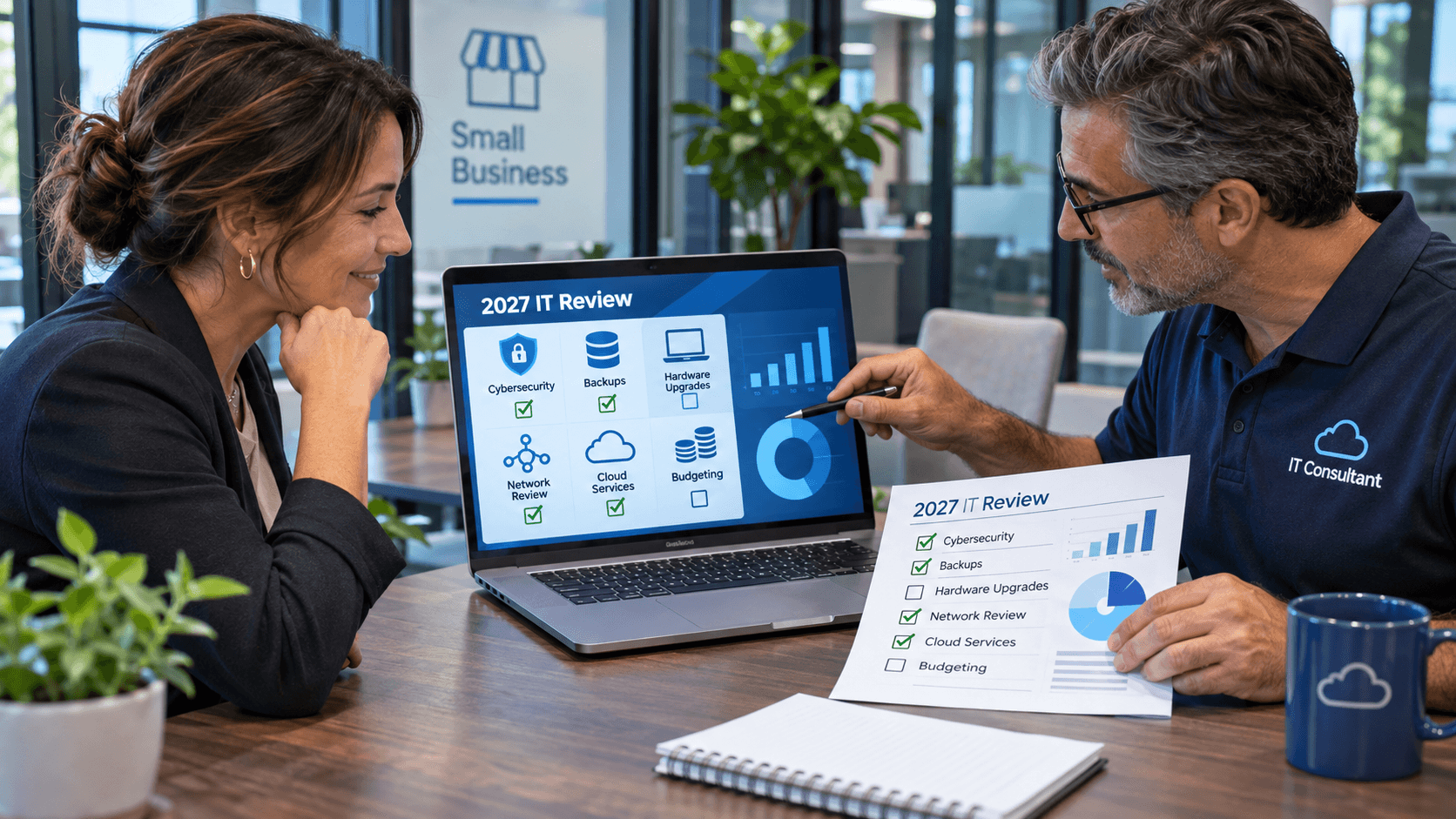
Whether your business has five employees or fifty, this Small Business IT checklist for 2027 will help you identify potential problems, improve security, and make smarter technology investments.
1. Review the Age and Performance of Your Computers
Let’s start with something every business relies on: computers.
Take a moment to think about the computers your employees use every day.
Are they running smoothly? Do employees regularly complain about slow performance? Does it take several minutes just to get logged in and start working?
While computers don’t have a fixed expiration date, most businesses should evaluate replacing their workstations after three to five years, depending on their specifications, workload, and condition.
Older computers can create several problems, including reduced employee productivity, increased risk of hardware failure, compatibility issues with newer software, and higher maintenance costs.
Consider this example: If an employee loses just 10 minutes per day waiting on a slow computer, that’s more than 40 hours of lost productivity over a typical 250 day work year.
Multiply that by several employees, and outdated computers can become surprisingly expensive.
What Should Your Business Review?
Before entering 2027, create an inventory of your company’s computers. Record their approximate age, operating system, warranty status, and any recurring problems.
Not every older computer needs to be replaced immediately. Sometimes an SSD or memory upgrade can provide additional useful life.
However, computers that are frequently failing, no longer supported, or significantly slowing employees down should be considered for replacement.
Planning replacements ahead of time allows businesses to budget more effectively and avoid unexpected expenses when critical equipment fails.
2. Make Sure You’re Not Running Unsupported Software
One of the biggest cybersecurity risks for small businesses is continuing to use software that no longer receives security updates.
When software reaches its end-of-support date, newly discovered vulnerabilities may go un-patched, potentially exposing your systems to attackers.
Windows 10 Support Has Already Ended
Microsoft officially ended standard support for Windows 10 on October 14, 2025.
Although Windows 10 computers continue to operate, they no longer receive normal operating-system security updates unless covered by an applicable Extended Security Updates (ESU) arrangement.
If your business still has Windows 10 workstations, now is the time to evaluate upgrading or replacing them.
Windows Server 2016 Support Ends in January 2027
There’s another important deadline approaching for businesses that operate their own servers.
Windows Server 2016 reaches the end of extended support on January 12, 2027.
Businesses using Windows Server 2016 for file sharing, Active Directory, business applications, or other critical functions should already be planning their next steps.
A server migration can involve much more than simply installing a newer operating system. Depending on your environment, it may require compatibility testing, backup verification, application migration, and carefully coordinated downtime.
Waiting until the last minute can make the process unnecessarily stressful.
Don’t Forget Microsoft Office and Other Applications
Older business software deserves attention as well.
Office 2016 and Office 2019 reached end of support in October 2025, while Office 2021 reached end of support in October 2026.
You should also review accounting software, industry-specific applications, firewall firmware, and other programs that your business relies on.
As part of your year-end planning, identify any unsupported software and determine whether it needs to be upgraded, replaced, or retired.
3. Evaluate Your Business Cybersecurity
Cybersecurity is no longer just a concern for large corporations.
Small businesses can be attractive targets because they often handle valuable customer information, financial transactions, and sensitive records without having dedicated cybersecurity personnel.
A successful cyberattack could result in stolen information, financial losses, disrupted operations, or damage to your business’s reputation.
Fortunately, improving cybersecurity doesn’t always require a massive investment.
Start by reviewing a few fundamental protections.
Multi-Factor Authentication (MFA)
If your business isn’t already using multi-factor authentication, implementing it should be a priority.
MFA adds another layer of protection beyond a password. Even if an attacker obtains an employee’s password, that additional verification step can make unauthorized access much more difficult.
MFA should be enabled wherever supported, especially for business email, Microsoft 365, remote access, financial applications, and administrator accounts.
Endpoint Protection
Traditional antivirus software is only one part of modern cybersecurity.
Businesses should consider centrally managed endpoint protection capable of identifying suspicious behavior, detecting threats, and providing alerts when something unusual occurs.
Employee Security Awareness
Employees are frequently targeted by phishing emails, fraudulent invoices, and impersonation scams.
Regular security awareness training can help employees recognize suspicious messages before they click malicious links or disclose sensitive information.
Access Controls
Employees should only have access to the systems and information necessary for their jobs.
Review former employee accounts, administrative permissions, shared passwords, and unnecessary access to sensitive data.
A year-end cybersecurity review is an excellent opportunity to identify overlooked security gaps before they become serious problems.
4. Verify That Your Business Backups Actually Work
Imagine arriving at your office tomorrow and discovering that your server has failed.
All of your shared documents, accounting records, customer files, and business information are suddenly unavailable.
How quickly could your business recover?
For some businesses, the answer is a few hours. For others, it could be several days—or longer.
The difference often comes down to having a reliable backup and disaster recovery strategy.
Having a Backup Isn’t the Same as Being Prepared
One of the most common misconceptions about business backups is assuming that because a backup system is installed, everything is protected.
Unfortunately, backups can fail without anyone noticing.
Files may be missing, backup jobs may stop completing, or stored data may be unusable when restoration is attempted.
A reliable backup strategy should include automated backups of critical information, monitoring of backup results, secure offsite copies, and periodic testing to verify that data can actually be restored.
Businesses should also establish realistic recovery expectations.
For example, could your company tolerate losing an entire day’s worth of data? Could operations continue if your primary server were unavailable for two days?
These questions help determine how frequently backups should occur and how quickly systems need to be restored.
What About Microsoft 365?
If your business uses Microsoft 365, don’t automatically assume that all your cloud data is protected against every possible loss scenario.
Services such as OneDrive and SharePoint include useful recovery features, but those features may not satisfy your organization’s specific retention, recovery, or business continuity requirements.
An independent Microsoft 365 backup solution may provide additional protection for email, files, and other important business information.
Before entering 2027, make sure your business knows what information is being backed up, where those backups are stored, and how recovery would work in an emergency.
5. Review Your Network and Wi-Fi Infrastructure
Your internet connection and internal network are the foundation of many daily business operations.
Even if your employees have excellent computers, outdated networking equipment can create frustrating performance problems.
Frequent internet disconnections, wireless dead zones, slow access to shared files, and unreliable cloud applications can all be signs that your network deserves attention.
As businesses become increasingly dependent on cloud services, reliable networking becomes even more important.
Is Your Business Wi-Fi Secure?
Business wireless networks should be properly secured and configured to separate employee devices from visitors when appropriate.
Guest Wi-Fi is especially important for offices, retail establishments, restaurants, and other businesses that regularly accommodate customers.
Your network should also be evaluated for capacity.
A wireless system installed years ago for a handful of devices may struggle when dozens of computers, smartphones, printers, and other devices are connected.
Consider Internet Redundancy
For businesses that cannot operate without internet access, a secondary connection may be worth considering.
A backup internet connection can help maintain access to cloud services, payment systems, and business communications during an outage.
As part of your 2027 planning, review the age of your networking equipment, the reliability of your internet connection, and whether your wireless infrastructure continues to meet your needs.
6. Review Your Business Phone System
Your phone system is another important piece of technology that often gets overlooked.
If your business still relies on an aging traditional phone system, 2027 may be a good time to evaluate cloud-based alternatives.
Modern Voice over Internet Protocol (VoIP) phone systems offer capabilities that can make business communications more flexible.
Depending on the service, these may include answering business calls from a mobile phone, transferring calls between employees and locations, automated attendants, voicemail delivered to email, and support for remote workers.
Cloud-based phone systems can also reduce dependence on aging on-premises telephone equipment.
However, businesses should evaluate internet reliability, emergency calling requirements, and power-outage planning before making a transition.
At Pennyrile Technologies, we work with businesses to evaluate modern communication solutions, including Intermedia Unite cloud-based phone systems.
Even if your existing phone system is meeting your needs, reviewing service costs and available features can help identify opportunities for improvement.
7. Review Microsoft 365 and Other Cloud Subscriptions
Many businesses have moved their email, file storage, and collaboration tools to the cloud.
However, it’s easy for subscription costs to increase over time without anyone reviewing what’s actually being used.
Your company may be paying for licenses assigned to former employees, maintaining duplicate services, or missing valuable security features already included in existing subscriptions.
For example, Microsoft 365 Business Premium includes capabilities such as device management and business-focused security tools.
When properly configured, these services can help protect company information and manage employee computers.
Unfortunately, simply purchasing a subscription doesn’t mean every available security feature has been enabled.
Conduct an Annual Subscription Review
Look at your recurring technology expenses and ask:
Are we using every subscription we’re paying for? Are there overlapping products? Are the security settings configured correctly? Could existing tools replace separate applications?
An annual review can help identify savings while improving how your business uses technology.
8. Create a Technology Budget for 2027
Technology expenses are much easier to manage when they’re planned in advance.
Unexpected server failures, emergency computer replacements, and rushed software migrations can put unnecessary pressure on a small business’s budget.
Instead of treating every technology expense as an emergency, consider developing an annual IT budget.
Your technology budget should account for both recurring expenses and larger planned investments.
Common IT Budget Categories
Hardware: Computers, servers, monitors, printers, networking equipment, and accessories.
Software: Microsoft 365, accounting applications, industry-specific programs, and other subscriptions.
Cybersecurity: Endpoint protection, email security, multi-factor authentication, and security awareness training.
Data Protection: Cloud backups, server backups, and disaster recovery solutions.
IT Support: Ongoing maintenance, monitoring, troubleshooting, and professional technology services.
Future Improvements: Network upgrades, phone systems, new business applications, and other projects.
You don’t necessarily need to replace all your equipment at once.
A planned replacement schedule can spread costs across several years while reducing the risk of multiple systems failing around the same time.
For businesses with limited internal IT resources, working with a managed IT provider can also help make technology expenses more predictable.
9. Establish an IT Support and Maintenance Plan
One of the most valuable questions a business owner can ask is:
Are we managing our technology proactively, or are we simply reacting whenever something breaks?
Reactive IT support, sometimes called break-fix support, generally means requesting assistance after a problem has already occurred.
While this approach may be suitable for some very small organizations, it can leave growing businesses vulnerable to avoidable downtime.
Managed IT services take a more proactive approach.
Depending on the service agreement, managed IT support may include monitoring computers and servers, managing operating-system updates, reviewing backup results, maintaining network infrastructure, and providing employee technical support.
For small businesses without dedicated IT employees, managed services can provide access to professional IT support without the expense of maintaining an entire internal IT department.
The goal isn’t simply to fix problems faster.
It’s to identify and prevent as many problems as reasonably possible before they interfere with your operations.
10. Don’t Overlook Artificial Intelligence and Employee Technology Policies
Artificial intelligence tools such as ChatGPT, Claude, and Microsoft Copilot are becoming increasingly common in the workplace.
Employees may use these services to draft emails, summarize documents, research information, or automate repetitive tasks.
While AI can offer productivity benefits, businesses should establish clear guidelines regarding its use.
Employees may not always understand the risks associated with uploading confidential customer information, financial records, or proprietary business documents into third-party services.
AI applications that integrate with local files or business accounts may also require permissions that deserve careful review.
Before entering 2027, consider implementing an acceptable-use policy that outlines which AI tools employees may use and what information they are allowed to share.
An effective policy doesn’t need to prohibit AI entirely. It should help employees use these tools responsibly while protecting sensitive business information.
Your Small Business IT Readiness Checklist for 2027
With the new year approaching, now is a great time to review your company’s overall technology environment.
You don’t need to be an IT expert to recognize potential areas of concern. Start by asking whether your business has addressed the following essentials.
General IT Readiness Checklist
- Computer Hardware: Review the age, reliability, and performance of your computers, servers, and other essential equipment.
- Software Support: Confirm that operating systems and critical business applications are still supported and receiving necessary security updates.
- Cybersecurity: Evaluate your company’s protection against cyber threats, including employee accounts, authentication, and security software.
- Data Backup and Recovery: Verify that important business data is backed up and that your organization has a reliable recovery plan.
- Network Infrastructure: Review the performance, security, and reliability of your internet connection, Wi-Fi, and networking equipment.
- Business Communications: Evaluate whether your current phone and communication systems meet your operational needs.
- Cloud Services: Review Microsoft 365 and other cloud subscriptions for unnecessary expenses, missing features, or security concerns.
- Technology Budget: Identify upcoming hardware replacements, software upgrades, and other technology investments for 2027.
- IT Support: Determine whether your current approach to technology maintenance and technical support is meeting your business’s needs.
- Technology Policies: Review employee guidelines for cybersecurity, acceptable technology use, and artificial intelligence tools.
If you discover several areas that need attention, don’t feel pressured to address everything immediately.
Start with the issues that represent the greatest risk to your business, particularly unsupported software, inadequate backups, and critical cybersecurity weaknesses.
Then develop a realistic plan for addressing the remaining items throughout 2027.
Let Pennyrile Technologies Help Your Business Prepare for 2027
Technology should help your business operate more efficiently—not create unnecessary frustration, downtime, or uncertainty.
Whether you’re running a small professional office, retail business, medical practice, or another local organization, having a reliable IT environment is essential to keeping employees productive and customers satisfied.
Pennyrile Technologies is a locally based IT services provider in Hopkinsville, Kentucky, helping small and medium-sized businesses with their technology needs.
Our services include managed IT services, computer and server solutions, cybersecurity, business backup and disaster recovery, Microsoft 365 management, business networking, cloud-based phone systems, and commercial security solutions.
We understand that small businesses need practical technology solutions that fit their operations and budgets.
If you’re unsure whether your company’s computers, servers, security, or backups are ready for 2027, now is an excellent time to review your IT environment.
Contact Pennyrile Technologies today to discuss your business’s technology needs and start planning for a more reliable, secure, and productive 2027.
Serving Hopkinsville, Kentucky, and businesses throughout the surrounding Pennyrile region.