
Modern scams are becoming more convincing, more personalized, and more difficult to recognize at first glance. Scammers can imitate trusted companies, spoof local telephone numbers, create official-looking documents, and use real personal information found online to make their stories believable.
Despite the technology involved, many successful scams still rely on the same basic strategy: create fear or urgency before the victim has time to stop and think.
Two increasingly common examples are fake computer security warnings and phone calls claiming that a warrant has been issued for your arrest. While these scams may seem very different, they use many of the same techniques. The best defense is simple:
Stop. Think. Verify.
Before sending money, installing software, providing information, or following instructions from an unexpected caller or computer message, take a few minutes to independently verify what you are being told.
Fake Computer Security Warnings and Tech Support Scams
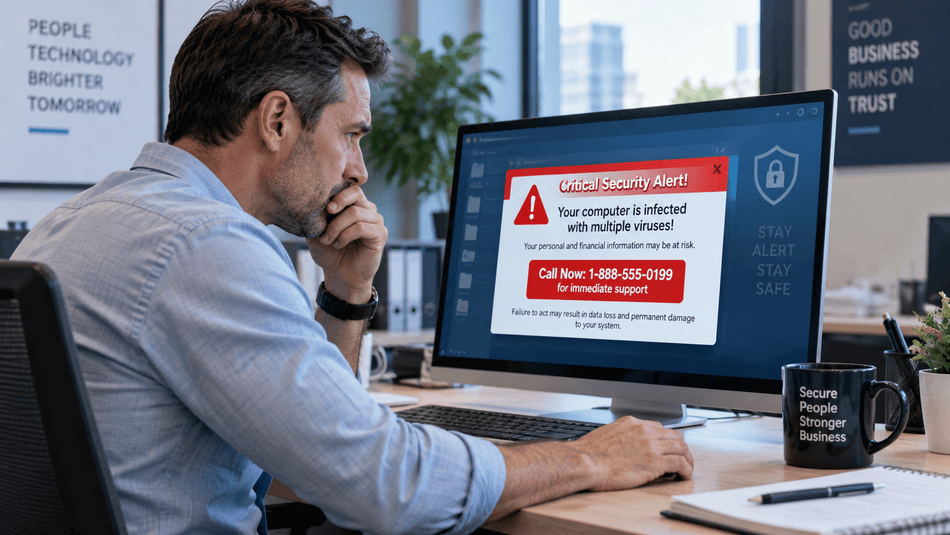
A fake computer security warning can appear while browsing an otherwise normal website. Suddenly, a large message or full-screen warning may claim:
- Your computer has been infected with a virus.
- Your banking or personal information has been compromised.
- Hackers are accessing your computer.
- Windows has detected a serious security problem.
- Your computer has been locked for your protection.
- You must call Microsoft or technical support immediately.
- You should not turn off or restart the computer.
Some warnings include loud alarms, flashing messages, countdown timers, or automated voices telling you not to close the page.
They may also display familiar logos from Microsoft, Windows, antivirus companies, or other well-known technology companies.
None of this proves the warning is legitimate.
Tech support scammers frequently use fake pop-up messages to convince victims that their computers have been infected. The Federal Trade Commission warns that scammers may then attempt to obtain remote access to the computer, sell unnecessary services, steal payment information, or install malicious software.
What Should You Do When a Fake Virus Warning Appears?
Most importantly, do not call the telephone number displayed in the warning and do not click links inside the message.
Instead:
- Try to close the browser or browser tab.
- If the browser will not close, restart or shut down the computer.
- Do not download software recommended by the warning.
- Do not provide passwords, banking information, or payment information.
- If you are concerned that the computer may actually be infected, contact your trusted IT provider or cybersecurity company using contact information you already know is legitimate.
The FBI has also advised that shutting down a device can often clear fake locked-screen or pop-up scams.
For businesses, employees should know exactly who to contact when they encounter a suspicious warning. A five-minute call to your IT provider is far safer than allowing an unknown person to access a company computer.
Be Extremely Careful With Remote Access
Remote-support software itself is not dangerous. Managed IT providers and legitimate technical support professionals use remote access tools every day to troubleshoot computers.
The danger is who you allow to connect.
If a scammer gains remote access to a business computer, they may be able to view the screen, control the mouse and keyboard, access files, steal passwords, install malware, or potentially reach other systems on the company network.
The FTC specifically recommends that businesses never give remote access to someone who contacts them unexpectedly.
Only allow remote access when you have intentionally contacted a trusted IT provider using a telephone number, email address, or support portal you independently know to be legitimate.
The Arrest Warrant and Missed Jury Duty Phone Scam
Computer scams are not the only attacks using fear and urgency.
Another increasingly sophisticated scam involves telephone calls from people claiming to represent a sheriff’s office, police department, court, or other government agency.
The caller may claim that you:
- Missed jury duty.
- Failed to appear in court.
- Ignored a subpoena.
- Have an outstanding arrest warrant.
- Must post a bond immediately to avoid arrest.
A local resident recently received one of these calls. The telephone number appeared to be local, and the caller identified himself as “Lt. James Drago” with the Christian County Sheriff’s Office.
The resident was told that they had failed to appear for jury selection in District Court and that a warrant had already been issued. The supposed bond was approximately $9,500.
What Made This Scam So Convincing?
The caller was not yelling or obviously threatening the victim.
Instead, he was calm, professional, and authoritative.
He also knew the resident’s address and several previous email addresses. The resident was then sent what appeared to be a warrant and additional official-looking documents.
The paperwork included case information, reference numbers, legal terminology, and language indicating that the matter was confidential.
Combined with the local telephone number and real personal information, the documents initially made the story seem believable.
That is exactly what makes modern impersonation scams dangerous.
The Warning Signs Became Clear Afterward
When the resident explained that they did not have $9,500 available for the supposed bond, the caller asked how much they could afford.
That was a major warning sign.
The caller also explained that payment would not be made through normal methods such as a check, credit card, or debit card, although the conversation ended before a specific alternative payment method was discussed. Eventually, the resident told the caller they intended to go directly to the Sheriff’s Office.
Rather than abandoning the scam, the caller continued playing the role. He claimed that when the resident arrived, the office would perform a signature comparison involving paperwork the resident had supposedly signed. The resident ended the call.
Once the immediate pressure was gone, inconsistencies became much easier to see. The resident’s name was badly misspelled, and some of the email addresses on the documents dated back to high school.
Under normal circumstances, these mistakes may have been obvious. Under pressure from someone claiming that an arrest warrant had already been issued, they were much easier to overlook.
Kentucky Courts Warn About Fake Arrest Warrants
This type of scam is not hypothetical.
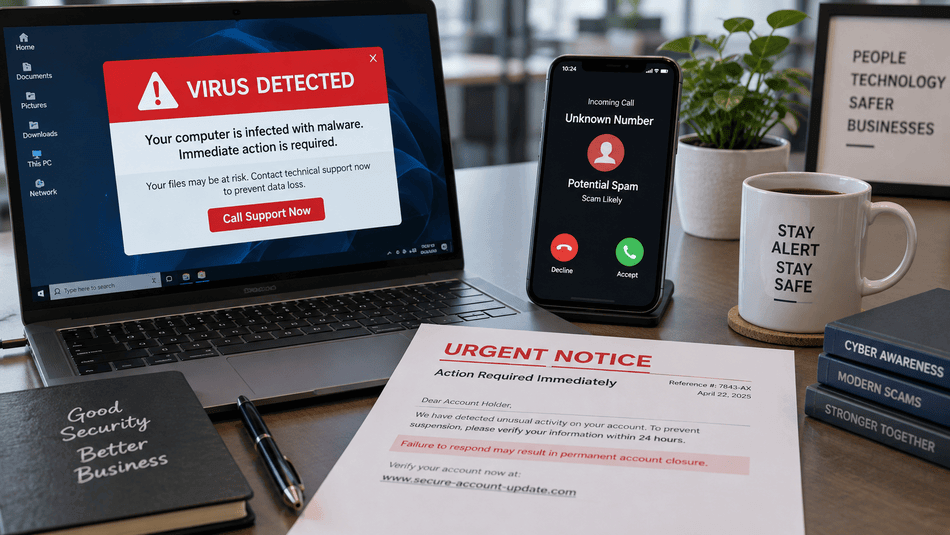
The Kentucky Court of Justice has specifically warned residents about sophisticated fake arrest warrant and jury-duty scams. Fraudulent documents may contain court seals, case numbers, charges, and claims involving missed jury duty or failure to appear.
Most importantly, Kentucky officials state that a valid arrest warrant is never served by phone, text, or email.
Kentucky Court of Justice personnel will also never ask for payment, credit card information, or a Social Security number because someone failed to appear for jury service.
In this case, the resident contacted an attorney and then went directly to the Christian County Sheriff’s Office, where the call and documents were confirmed to be fraudulent.
Caller ID Is Not Proof of Who Is Calling
One of the biggest mistakes people make is assuming that a familiar-looking telephone number proves who is calling.
It does not.
Scammers can manipulate caller ID information so that an incoming call appears to come from a local telephone number, government agency, business, or other trusted organization. Kentucky courts specifically warn that scammers may fake caller ID information to impersonate courts and government agencies.
The same rule applies to email addresses and websites.
Never use the contact information provided by the suspicious caller or message to verify the caller.
Instead, independently find the organization’s official telephone number or website and contact it yourself.
Personal Information Doesn’t Prove the Caller Is Legitimate
Scammers may already know your:
- Name
- Address
- Phone number
- Previous addresses
- Email addresses
- Employer
- Family members
- Other publicly available information
Much of this information can come from public records, data brokers, social media, previous data breaches, and other online sources.
Knowing information about you does not prove that the caller represents a legitimate organization.
The same is true for official-looking paperwork. Fake documents can contain government logos, signatures, case numbers, warrant numbers, legal terminology, and real personal information.
Appearance is not verification.
What to Do If You Receive a Suspicious Call
If someone unexpectedly claims you owe money, have an arrest warrant, or must immediately take action to avoid legal consequences:
- Do not send money.
- Do not provide banking or credit card information.
- Do not provide passwords or sensitive personal information.
- Do not install software.
- End the call.
- Independently look up the organization involved.
- Call the organization using its published telephone number.
- Speak with an attorney if you have legitimate concerns about a legal matter.
- Save suspicious emails, documents, text messages, screenshots, and telephone numbers as evidence.
Online and cyber-enabled scams can also be reported to the FBI’s Internet Crime Complaint Center, or IC3. The FBI recommends retaining documentation and information about the telephone numbers, email addresses, websites, payment instructions, and communications used by scammers.
Stop, Think, and Verify
The most convincing scams do not always look like scams.
The caller may be polite. The telephone number may be local. The computer warning may display a Microsoft logo. The paperwork may look official. The scammer may even know real information about you or your business.
None of those things should replace independent verification.
For businesses in particular, cybersecurity awareness is no longer limited to identifying suspicious email attachments. Employees also need to recognize fraudulent phone calls, fake security warnings, remote-access scams, impersonation attempts, and other forms of social engineering.
When something unexpected demands immediate action, remember three words:
Stop. Think. Verify.
A few minutes spent contacting your IT provider, bank, attorney, law-enforcement agency, or other trusted organization through independently verified contact information can prevent a much larger financial or cybersecurity incident.
Not sure whether a computer warning is legitimate?
Contact Pennyrile Technologies before clicking, calling, or installing anything. Pennyrile Technologies serves Hopkinsville, Clarksville, Nashville, and Western Kentucky/Tennessee.